ASP.NET CAPTCHA Randomization C# Code Sample (BotDetect v3.0; deprecated)
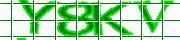
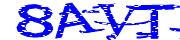
The ASP.NET Captcha randomization sample project shows how to easily randomize various BotDetect CAPTCHA Captcha control parameters, beyond the basic image and sound style randomization used by default.
First Time Here?
Check the BotDetect Developer Crash Course for key integration steps.
Randomly using different Captcha image and sound generation algorithms and other parameter values (such as code length and style) can significantly improve the Captcha security.
This is the recommended approach to Captcha property setting, since it takes full advantage of the numerous Captcha image and sound generation algorithms shipped with BotDetect, as well as built-in randomization features.
Setting Captcha control properties in the InitializedCaptchaControl event handler used for randomization also reduces the amount of Session State used by the control.
- C#
- VB.NET
- Visual Studio 2013 / Visual Studio 2012 / .NET 4.5
- Visual Studio 2010 / .NET 4.0
- Visual Studio 2008 / .NET 3.5
- Visual Studio 2005 / .NET 2.0
Visual Studio 2013 / Visual Studio 2012 / .NET 4.5
By default, the .NET 4.5 C# version of the ASP.NET Captcha randomization sample project is installed at:
C:\Program Files\Lanapsoft\BotDetect 3 CAPTCHA Component\Asp.Net\v4.5\WebApp\CaptchaRandomizationSample\CSharp
You can also run it from the BotDetect Start Menu:
Programs > Lanapsoft > BotDetect 3 CAPTCHA Component > ASP.NET > DotNET 4.5 Web Applications > Run
Default.aspx
<%@ Page Language="C#" AutoEventWireup="true"  CodeFile="Default.aspx.cs"
  Inherits="_Default" %>

<!DOCTYPE html PUBLIC "-//W3C//DTD XHTML 1.0 Strict//EN"
  "http://www.w3.org/TR/xhtml1/DTD/xhtml1-strict.dtd">

<html xmlns="http://www.w3.org/1999/xhtml" >
<head id="Head1" runat="server">
  <title>BotDetect CAPTCHA Randomization ASP.NET Sample</title>
  <link type="text/css" rel="Stylesheet" href="StyleSheet.css" />
</head>
<body>
  <form id="form1" runat="server">
  <h1>BotDetect CAPTCHA Randomization ASP.NET Sample</h1>
  <fieldset>
    <legend>CAPTCHA Validation</legend>
    <p class="prompt">
      <label for="CaptchaCodeTextBox">Retype the characters from the picture:</label>
    </p>
    <BotDetect:Captcha ID="SampleCaptcha" runat="server" />
    <div class="validationDiv">
      <asp:TextBox ID="CaptchaCodeTextBox" runat="server"></asp:TextBox>
      <asp:Button ID="ValidateCaptchaButton" runat="server" />
      <asp:Label ID="CaptchaCorrectLabel" runat="server" CssClass="correct">
      </asp:Label>
      <asp:Label ID="CaptchaIncorrectLabel" runat="server" CssClass="incorrect">
      </asp:Label>
    </div>
  </fieldset>
  </form>
</body>
</html>
Default.aspx.cs
using System;
using System.Web;
using System.Web.Security;
using System.Web.UI;
using System.Web.UI.WebControls;

using BotDetect;
using BotDetect.Web;
using BotDetect.Web.UI;

public partial class _Default : System.Web.UI.Page
{
    protected void Page_Init(object sender, EventArgs e)
    {
        SampleCaptcha.InitializedCaptchaControl +=
            new EventHandler<InitializedCaptchaControlEventArgs>(
              SampleCaptcha_InitializedCaptchaControl);
    }

    /// <summary>
    /// all CAPTCHA randomization should be performed in these event handlers instead
    /// of Page_Load or Page_PreRender, because this event is also fired for direct
    /// CAPTCHA image requests (which skip the page events since the page is never
    /// loaded), for example when clicking the Reload CAPTCHA button repeatedly
    /// </summary>
    void SampleCaptcha_InitializedCaptchaControl(object sender,
      InitializedCaptchaControlEventArgs e)
    {
        if (e.CaptchaId != SampleCaptcha.CaptchaId)
        {
            return;
        }

        CaptchaControl captcha = sender as CaptchaControl;

        // random Captcha code length
        captcha.CodeLength = CaptchaRandomization.GetRandomCodeLength(3, 5);

        // Captcha code style randomization, option 1: randomly use all possible code
        // styles
        // captcha.CodeStyle = CaptchaRandomization.GetRandomCodeStyle();

        // Captcha code style randomization, option 2: randomly choose from the given
        // set of code styles
        //CodeStyle[] codeStyles = {
        //    CodeStyle.Alpha,
        //    CodeStyle.Numeric
        //};
        //captcha.CodeStyle = CaptchaRandomization.GetRandomCodeStyle(codeStyles);

        // Captcha code style randomization, option 3: dependent on code length
        switch(captcha.CodeLength) {
          case 3:
            captcha.CodeStyle = CodeStyle.Alphanumeric;
            break;
          case 4:
            captcha.CodeStyle = CodeStyle.Alpha;
            break;
          case 5:
            captcha.CodeStyle = CodeStyle.Numeric;
            break;
        }

        // use an image style randomly selected from the given subset
        ImageStyle[] imageStyles = {
            ImageStyle.Lego,
            ImageStyle.MeltingHeat,
            ImageStyle.Ghostly,
            ImageStyle.Fingerprints,
            ImageStyle.Graffiti2,
            ImageStyle.Bullets2,
            ImageStyle.CaughtInTheNet2,
            ImageStyle.Collage,
            ImageStyle.Chalkboard
        };
        captcha.ImageStyle = CaptchaRandomization.GetRandomImageStyle(imageStyles);

        // OR: use a completely random image style
        //captcha.ImageStyle = CaptchaRandomization.GetRandomImageStyle();

        // use a sound style randomly selected from the given subset
        SoundStyle[] soundStyles = {
            SoundStyle.Dispatch,
            SoundStyle.Radio,
            SoundStyle.Synth
        };
        captcha.SoundStyle = CaptchaRandomization.GetRandomSoundStyle(soundStyles);

        // OR: use a completely random sound style
        //captcha.SoundStyle = CaptchaRandomization.GetRandomSoundStyle();
    }

    protected void Page_PreRender(object sender, EventArgs e)
    {
        // initial page setup
        if (!IsPostBack)
        {
            // set control text
            ValidateCaptchaButton.Text = "Validate";
            CaptchaCorrectLabel.Text = "Correct!";
            CaptchaIncorrectLabel.Text = "Incorrect!";

            // these messages are shown only after validation
            CaptchaCorrectLabel.Visible = false;
            CaptchaIncorrectLabel.Visible = false;
        }

        SampleCaptcha.UserInputClientID = CaptchaCodeTextBox.ClientID;

        if (IsPostBack)
        {
            // validate the Captcha to check we're not dealing with a bot
            string code = CaptchaCodeTextBox.Text.Trim().ToUpper();
            bool isHuman = SampleCaptcha.Validate(code);
            CaptchaCodeTextBox.Text = null; // clear previous user input

            if (isHuman)
            {
                CaptchaCorrectLabel.Visible = true;
                CaptchaIncorrectLabel.Visible = false;
            }
            else
            {
                CaptchaCorrectLabel.Visible = false;
                CaptchaIncorrectLabel.Visible = true;
            }
        }
    }
}
In the Page_Init phase of ASP.NET page life-cycle, we register a special event handler used for Captcha randomization. Since Captcha images and sounds are generated and sent to the client in Http requests separate from the one loading the ASP.NET page (when page code-behind gets executed), we must register this event handler to ensure Captcha challenges are randomized every time they are generated, and not only once per page load.
This is important because Captcha requests don't have to be tied to the number of page loads - most notably, when using the Reload Captcha button, and when bots are accessing Captcha images and sounds directly, it's possible that many Captcha images or sounds will be generated after only a single page load (and the related Page_PreRender execution).
In the SampleCaptcha_InitializedCaptchaControl handler, the Captcha control instance is accessible as the sender parameter. To make the randomization as simple as possible, we use the CaptchaRandomization class, which allows us to get a random value of a given parameter from all available values (as the Captcha CodeStyle), or from a given range of values (as the Captcha CodeLength), or from the given set of values (as the Captcha ImageStyle).
You can also randomize other Captcha properties in a similar manner, but randomized Captcha image drawing and sound generating styles as well as the Captcha code length improve Captcha security the most. Every individual Captcha generating algorithm can theoretically and eventually be broken (given enough effort etc., as described in the Can CAPTCHA Be Broken? article), but if the bot also has to recognize which algorithm does each individual image or sound use, the code recognition task becomes an order of magnitudes harder.
Also keep in mind that several popular Captcha implementations have been broken because they used a fixed number of characters in their Captcha images – disregarding that "find 5 characters in this image" is inherently a much easier task to automate than "find an unknown number of characters in this image". So always use a random Captcha code length to keep your Captcha implementation at peak security levels.
Web.config
<?xml version="1.0"?>
<!--
  For more information on how to configure your ASP.NET application, please visit
  http://go.microsoft.com/fwlink/?LinkId=169433
  -->
<configuration>
  <configSections>
    <section name="botDetect" requirePermission="false"
      type="BotDetect.Configuration.BotDetectConfigurationSection, BotDetect"/>
  </configSections>
  <appSettings>
    <add key="aspnet:UseTaskFriendlySynchronizationContext" value="true"/>
    <add key="ValidationSettings:UnobtrusiveValidationMode" value="None"/>
  </appSettings>
  <system.web>
    <httpHandlers>
      <!-- Register the HttpHandler used for BotDetect Captcha requests -->
      <add verb="GET" path="BotDetectCaptcha.ashx"
        type="BotDetect.Web.CaptchaHandler, BotDetect"/>
    </httpHandlers>
    <!-- Register a custom SessionIDManager for BotDetect Captcha requests -->
    <sessionState mode="InProc" cookieless="AutoDetect" timeout="20"
      sessionIDManagerType="BotDetect.Web.CustomSessionIdManager, BotDetect"/>
    <!-- Session state is required for BotDetect storage; you can also turn if off
      globally and only enable for BotDetect-protected pages if you prefer -->
    <pages controlRenderingCompatibilityVersion="4.5" enableSessionState="true">
      <controls>
        <!-- Register the BotDetect tag prefix for easier use in all pages -->
        <add assembly="BotDetect" namespace="BotDetect.Web.UI" tagPrefix="BotDetect"/>
      </controls>
    </pages>
    <compilation debug="false" targetFramework="4.5"/>
    <httpRuntime requestValidationMode="4.5" targetFramework="4.5"
      encoderType="System.Web.Security.AntiXss.AntiXssEncoder, System.Web,
        Version=4.0.0.0, Culture=neutral, PublicKeyToken=b03f5f7f11d50a3a"/>
    <machineKey compatibilityMode="Framework45"/>
  </system.web>
  <system.webServer>
    <validation validateIntegratedModeConfiguration="false"/>
    <handlers>
      <!-- Register the HttpHandler used for BotDetect Captcha requests (IIS 7.0+) -->
      <remove name="BotDetectCaptchaHandler"/>
      <add name="BotDetectCaptchaHandler" preCondition="integratedMode" verb="GET"
        path="BotDetectCaptcha.ashx" type="BotDetect.Web.CaptchaHandler, BotDetect"/>
    </handlers>
  </system.webServer>
  <botDetect>
    <captchaImage>
      <helpLink enabled="true" mode="image" />
    </captchaImage>
  </botDetect>
</configuration>
There are several BotDetect-related changes in the web.config file, including Captcha HttpHandler registration, ASP.NET Session state configuration, and BotDetect tag prefix registration.
Visual Studio 2010 / .NET 4.0
By default, the .NET 4.0 C# version of the ASP.NET Captcha randomization sample project is installed at:
C:\Program Files\Lanapsoft\BotDetect 3 CAPTCHA Component\Asp.Net\v4.0\WebApp\CaptchaRandomizationSample\CSharp
You can also run it from the BotDetect Start Menu:
Programs > Lanapsoft > BotDetect 3 CAPTCHA Component > ASP.NET > DotNET 4.0 Web Applications > Run
The Visual Studio 2010 / .NET 4.0 source has no essential differences from the Visual Studio 2013 / Visual Studio 2012 / .NET 4.5 source.
Visual Studio 2008 / .NET 3.5
By default, the .NET 3.5 C# version of the ASP.NET Captcha randomization sample project is installed at:
C:\Program Files\Lanapsoft\BotDetect 3 CAPTCHA Component\Asp.Net\v3.5\WebApp\CaptchaRandomizationSample\CSharp
You can also run it from the BotDetect Start Menu:
Programs > Lanapsoft > BotDetect 3 CAPTCHA Component > ASP.NET > DotNET 3.5 Web Applications > Run
The Visual Studio 2008 / .NET 3.5 source has no essential differences from the Visual Studio 2013 / Visual Studio 2012 / .NET 4.5 source.
Visual Studio 2005 / .NET 2.0
By default, the .NET 2.0 C# version of the ASP.NET Captcha randomization sample project is installed at:
C:\Program Files\Lanapsoft\BotDetect 3 CAPTCHA Component\Asp.Net\v2.0\WebApp\CaptchaRandomizationSample\CSharp
You can also run it from the BotDetect Start Menu:
Programs > Lanapsoft > BotDetect 3 CAPTCHA Component > ASP.NET > DotNET 2.0 Web Applications > Run
The Visual Studio 2005 / .NET 2.0 source has no essential differences from the Visual Studio 2013 / Visual Studio 2012 / .NET 4.5 source.
Please Note
The information on this page is out of date and applies to a deprecated version of BotDetect™ CAPTCHA (v3.0).
An up-to-date equivalent page for the latest BotDetect Captcha release (v4) is BotDetect v4 Captcha documentation index.
General information about the major improvements in the current BotDetect release can be found at the What's New in BotDetect v4.0 page.
Current BotDetect Versions
-
BotDetect ASP.NET CAPTCHA
2019-07-22v4.4.2 -
BotDetect Java CAPTCHA
2019-07-22v4.0.Beta3.7 -
BotDetect PHP CAPTCHA
2019-07-22v4.2.5